Stop wasting money on useless products



best WordPress form plugin Introduction

If you run a website, you already know this — collecting user information is one of the most important parts of growing online.
Whether it’s contact forms, lead generation, bookings, or payments, everything depends on how well your website handles user input.
But here’s the problem.
Most form plugins are either too basic or too complicated. They either lack important features or require too much setup to get anything working properly.
That’s why many website owners, developers, and businesses are turning to Gravity Forms.
It’s not the newest plugin, but there’s a reason it has been trusted since 2009.
In this guide, we’ll break down why Gravity Forms is still one of the best WordPress form plugins in 2026 and whether it’s the right choice for your website.

What is Gravity Forms?
Gravity Forms is a premium WordPress plugin that allows you to create advanced forms for your website.
Unlike basic form builders, it goes beyond simple contact forms.
With Gravity Forms, you can build:
- Contact forms
- Lead generation forms
- Registration forms
- Payment forms
- Survey and quiz forms
Everything is done inside WordPress, and the plugin integrates with a wide range of tools and services.
Why Gravity Forms Stands Out
There are many form plugins available, but Gravity Forms is built differently.
It focuses on flexibility, reliability, and scalability.
Here’s why it stands out:
- Easy drag-and-drop builder
- Advanced form logic
- Strong integrations with other tools
- Reliable performance
- Trusted by developers and businesses
This is not just a beginner tool — it’s built for real websites that need more than basic functionality.
Key Features of Gravity Forms
Drag-and-Drop Form Builder
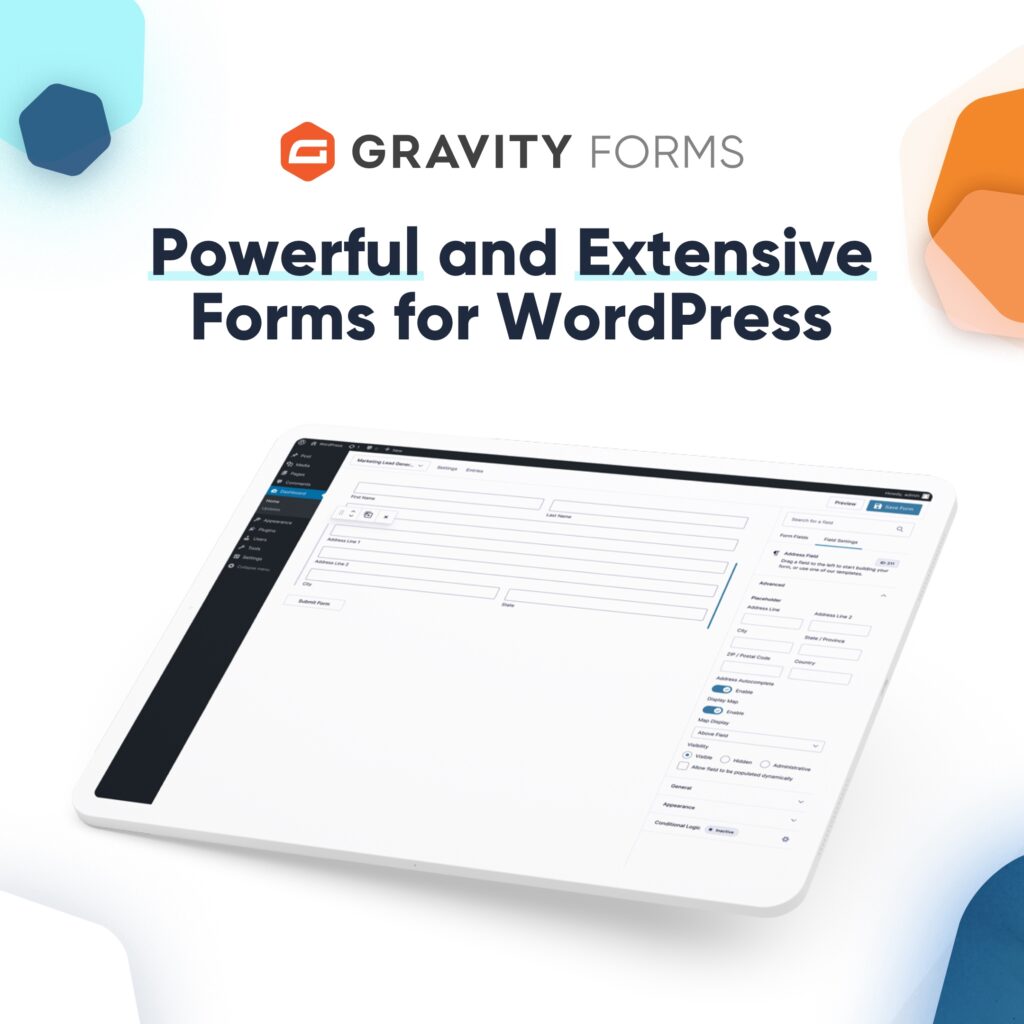
You don’t need coding knowledge to create forms.
The builder allows you to:
- Add fields
- Rearrange layouts
- Customize inputs
Everything is visual and easy to manage.
Conditional Logic
This is one of the most powerful features.
You can show or hide fields based on user responses.
For example:
- Show extra questions only if needed
- Create dynamic forms based on user input
This makes your forms smarter and more efficient.
Payment Integration
Gravity Forms allows you to accept payments directly through your forms.
It integrates with:
- PayPal
- Stripe
- Other payment gateways
This is perfect for businesses selling services or products.
Advanced Integrations
You can connect Gravity Forms with tools like:
- Email marketing platforms
- CRM systems
- Automation tools
This helps you turn form submissions into real leads.
File Upload Support
Users can upload files directly through your forms.
Useful for:
- Job applications
- Client submissions
- Document collection
Who Should Use Gravity Forms?
Gravity Forms is best suited for:
- Business websites
- Agencies and developers
- Service providers
- E-commerce websites
- Bloggers who collect leads
If your website depends on user interaction, this plugin becomes essential.
Real Use Cases
Lead Generation
Capture customer details and automatically send them to your email or CRM.
Booking Forms
Allow users to schedule appointments directly from your website.
Payment Collection
Sell services or digital products without needing a full e-commerce setup.
Surveys and Feedback
Collect valuable insights from your audience.
Is Gravity Forms Worth It?
Let’s be honest.
Gravity Forms is not free.
But here’s what you’re paying for:
- Reliability
- Advanced features
- Flexibility
- Long-term scalability
If your website is serious, this is not an expense — it’s an investment.
Start Using Gravity Forms
👉 Paste your affiliate link here

Things to Consider
- It is a paid plugin
- Requires WordPress
- Some advanced features may need setup
Why Gravity Forms is Still Relevant in 2026
Many tools come and go, but Gravity Forms has remained consistent.
Why?
Because it solves a real problem — managing user input efficiently.
In 2026, businesses are focusing more on:
- Lead generation
- Automation
- User experience
Gravity Forms fits directly into all three.